
Make It Fit
A video too big to send? Give it a size limit.
The clip is ready. The file is too big.
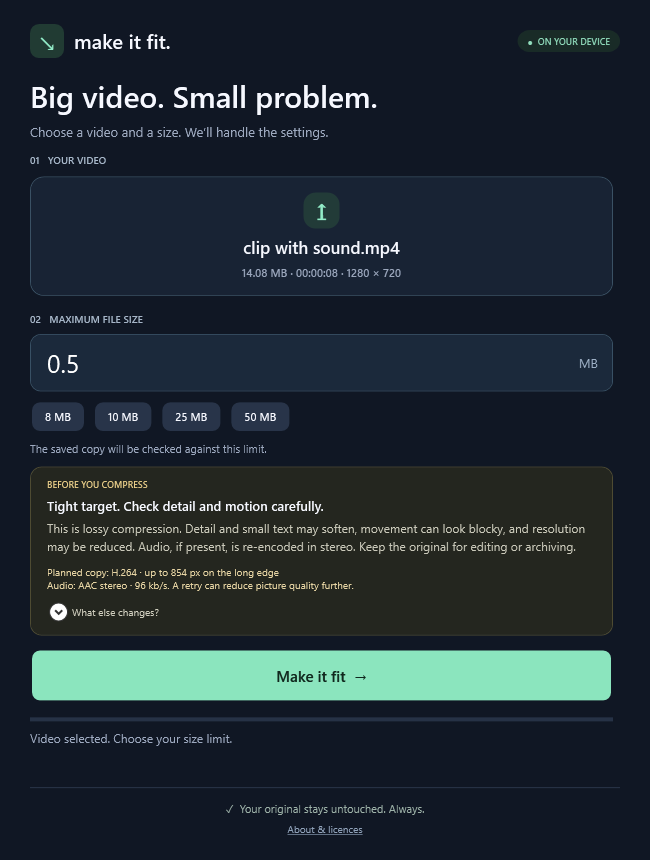
Drop in one video, choose a maximum size in MB, and save a smaller MP4. Make It Fit chooses the compression settings, checks the result, and retries if needed. Your original stays untouched.
One job. Fewer steps.
- Choose a maximum file size instead of juggling encoding settings.
- Compress on your own PC. Your videos are not uploaded.
- Save an MP4 with H.264 video and AAC audio.
- No app account, subscription, or separate .NET installation.
A video worth sharing.Just a little too big to send.
128 MBYour file size limit25 MB
A smaller MP4. Ready to share.Your original stays untouched.
◈ Processed on your PCNo video uploads
Know before you download.
- Windows 10/11 x64 only. Standard-colour (SDR) video only; HDR is not supported.
- First use downloads a separate free FFmpeg engine (about 115 MB). Internet is needed for setup; compression then works offline.
- Lossy compression reduces detail and may lower resolution. Very small size targets may be refused.
- Only the first video and audio tracks are retained. Subtitles, chapters, extra tracks, and source metadata are not retained.
- The current candidate is unsigned. Public sales and downloads are closed pending release checks. Future major versions are not included by promise.